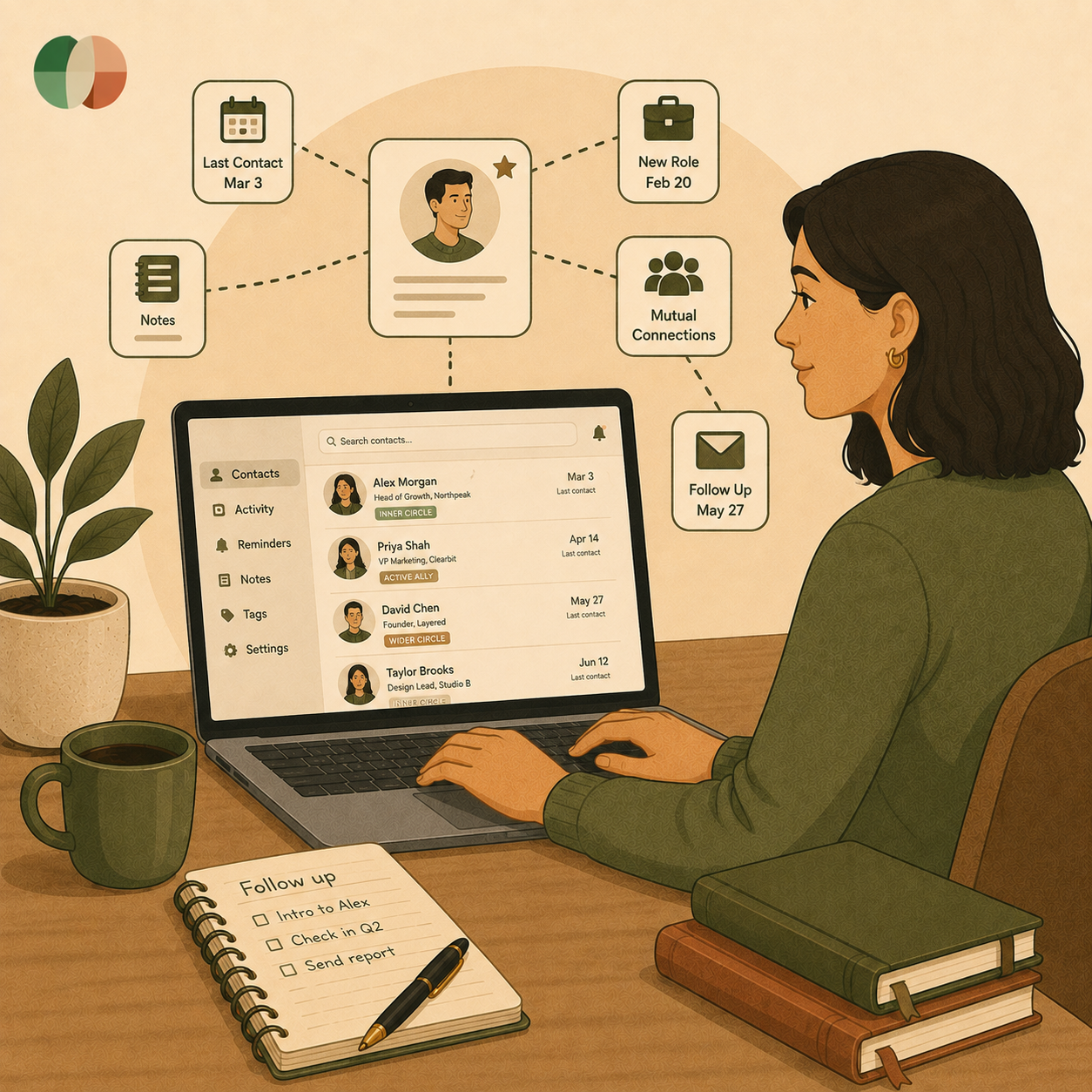
Somewhere in your phone sits a contact named after a good conversation you can barely place anymore. You added them the day you met, told yourself you'd stay in touch, and never opened the entry again. Six months later, they needed exactly what you do, and hired someone else, because someone else's name was actually in front of them that week.
The problem was never that the name disappeared. It sat there the whole time, correct in every field, doing nothing. Storing a name is easy; knowing when and why to reach out is the part almost no tool handles for you. Most professionals aren't struggling to remember people. They're missing the prompt that tells them when to act.
This guide covers what a contact management system actually does, where standard contact apps stop being useful, and how to tell passive storage apart from proactive relationship intelligence. Timing is the one variable most professionals never control, and it decides who gets the call.
A useful contact record answers a question your phone cannot: what is my history with this person, and what did we agree to do next? A name, a number, and a company logo do not get you there.
Contact management is the practice of storing and organizing business contacts so you can find them and use them. A contact management system does this in a centralized contact database instead of five scattered contact lists.
The job goes further than storage. Good contact organization ties every touchpoint to one identity, so a call, an email, and a referral all sit under the same person. That is what turns contact information into working knowledge.
The strongest contact records carry a short, honest trail of the relationship. That trail is what lets you write a message that sounds like you remember them, because you do.
Your default address book, a business card scanner, or a spreadsheet all do the same thing well. They hold data. None of them tell you that a client went eleven months without a word.
That is the gap. Contact tracking tools and light personal CRM setups store history but wait for you to open them. The record stays accurate and stays completely silent.
So the question stops being where your contacts live and becomes what moves you to act on them.
A contact database becomes valuable the moment it starts prompting you. Action beats storage, because relationships decay on a clock you are not watching.
Follow-up fails in the gap between intent and calendar. You mean to circle back in two weeks, then two weeks becomes two quarters. In a 2026 survey of 542 professionals, the most common regret wasn't awkwardness. It was losing track of someone they meant to keep close.
Manual activity logging makes this worse. If logging a call takes four steps, you skip it, and the record quietly goes stale while your confidence in it drops.
Timely outreach usually rides on a signal, not a mood. A job change, a funding round, a new product, a milestone, a mention in the news: each one gives you a reason to write that is about them.
Behavioral triggers, follow-up reminders, contact enrichment, and simple contact scoring all serve the same purpose. They put the right name in front of you on the right morning. Lead capture and lead routing do this for pipelines; your network deserves the same care.
AI-driven insights work best as a copilot. The system surfaces who is drifting and why now is a fair moment. You still decide whether to send anything, and what to say.
That division matters. Email tracking and email automation can send messages; only you can judge whether a message is welcome.
Which raises the practical question of what such a system needs to do inside a normal working week.
The features that matter are the ones you touch weekly without thinking. Everything else is decoration.
Custom fields, tags, and contact segmentation let you slice a big list into small, workable groups. Ten clients, twelve prospects, eight former colleagues who would take your call.
Segments make cadence possible. You cannot maintain 900 people, but you can maintain three groups of thirty.
Your relationship history already exists inside Gmail, Outlook, and Google Calendar. Pulling those into one view removes the tab-hopping that kills follow-through.
Add LinkedIn for career signals, Slack for internal threads, and Zoom for meeting notes. Mobile access matters too, since the best moment to log a detail is in the parking lot, not on Monday.
Automation belongs on the preparation. Let it collect context, schedule reminders, and clean duplicates. Write the note yourself.
Marketing automation, email marketing, and live chat tools serve broad campaigns well. One-to-one relationships break the second they read like a campaign.
Light reporting and analytics tell you the truth about your habits: how many people you contacted, how many replied, how many went ninety days untouched.
Track outcomes over activity: introductions made, referrals received, meetings booked from warm contacts.
Once you know which capabilities you use, you can decide how much structure you actually need.
Most people overbuy. A full sales CRM with deal tracking and pipeline management solves a problem you may not have.
If you are managing relationships rather than a sales team, contact management software plus reminders covers it. You need search, notes, history, and a nudge.
Setup time is the real cost. A system you abandon in six weeks is worse than a plain list you actually open.
If revenue depends on tracked stages, a sales pipeline earns its keep. Deal tracking shows where things stall and what is worth your Tuesday.
Ask whether it connects to the tools you already use, through native integration or Zapier, and whether export is simple. Data you cannot take with you is data you have rented.
Then ask the harder one: will this tell me who to contact today, or wait for me to ask?
That answer decides whether your network stays warm or slowly goes silent.
Staying in touch is a habit problem with a design solution. Pick the people, set the rhythm, then let something else carry the timing.
List twenty to forty people whose good opinion of you shapes your next two years. Clients, past managers, peers who send work your way, two or three people ahead of you.
That list is your working network. Everyone else can stay in the wider contact database until a reason appears.
Twenty minutes, twice a week, outperforms a burst of activity every time you need something. In the same survey of 542 professionals, the people who reported the most referrals were not the busiest networkers. They were the most consistent ones.
Attach the habit to something fixed. Monday morning, coffee, three names.
Keep one place for names, history, and open loops instead of splitting them across your inbox, phone, and notes. Then add a weekly review so the record stays current. The habit matters more than the tool.
Look for fast search, notes tied to a timeline, tags and segments, mobile access, and integration with your email and calendar. Skip features built for sales teams if you are not running a pipeline.
Shorten your list to the relationships that genuinely matter, then set a cadence for that group only. Trying to maintain everyone is the fastest way to maintain no one.
Yes, and that is its best use. AI can watch for job changes, long gaps, and milestones, then prompt you with the context. You still choose whether to write and what to say.
Log the detail within a few minutes of the conversation, on your phone if needed. One line about what they said and what you promised is enough to make the next message feel personal.
Give first, specifically. Send an intro, a lead, or a useful article to people you have kept in real contact with, and do it before you need anything. Referrals follow visibility and goodwill, in that order.
Storage is the easy part. Timing is what most systems get wrong. Goodword sits on top of the relationships you already have and surfaces the person worth a message this week, with the context to make it easy.
You have spent years building relationships, so try Goodword free and see who comes up first

.svg)





.png)